
Safe by default
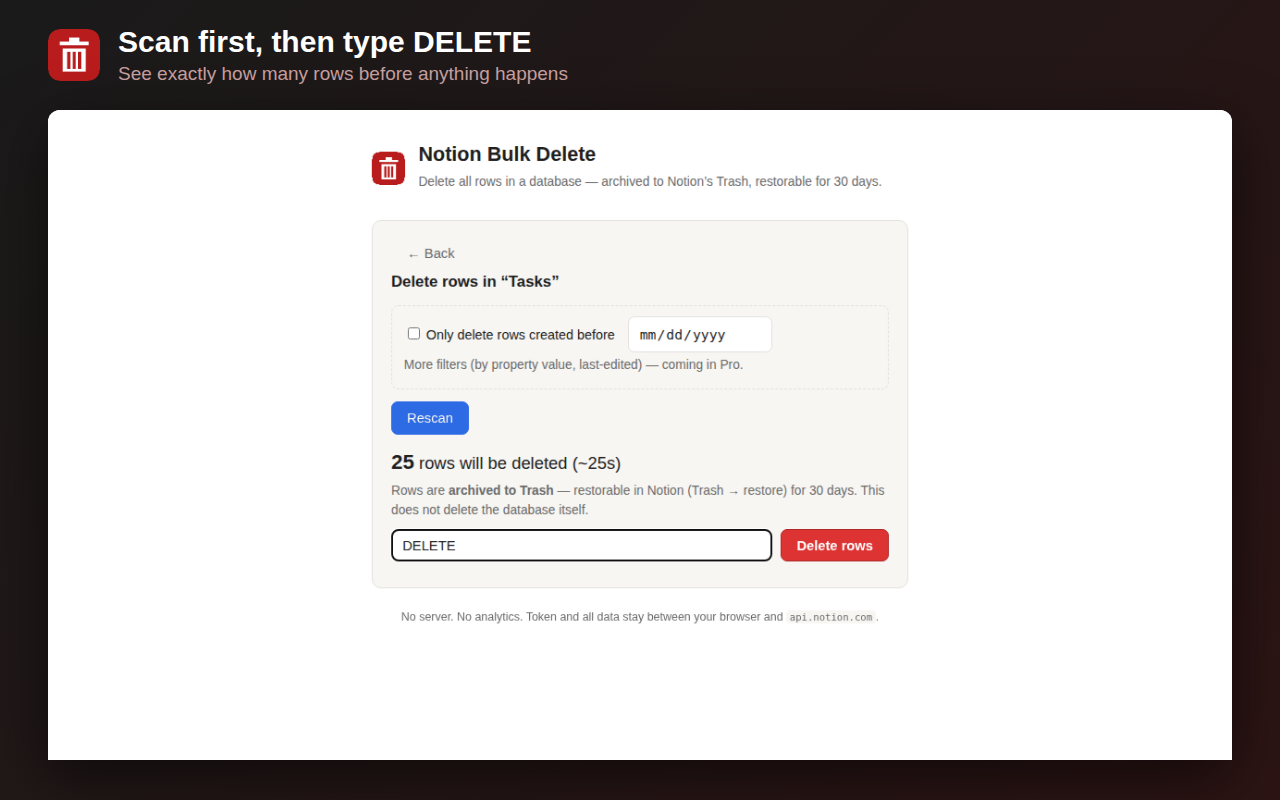
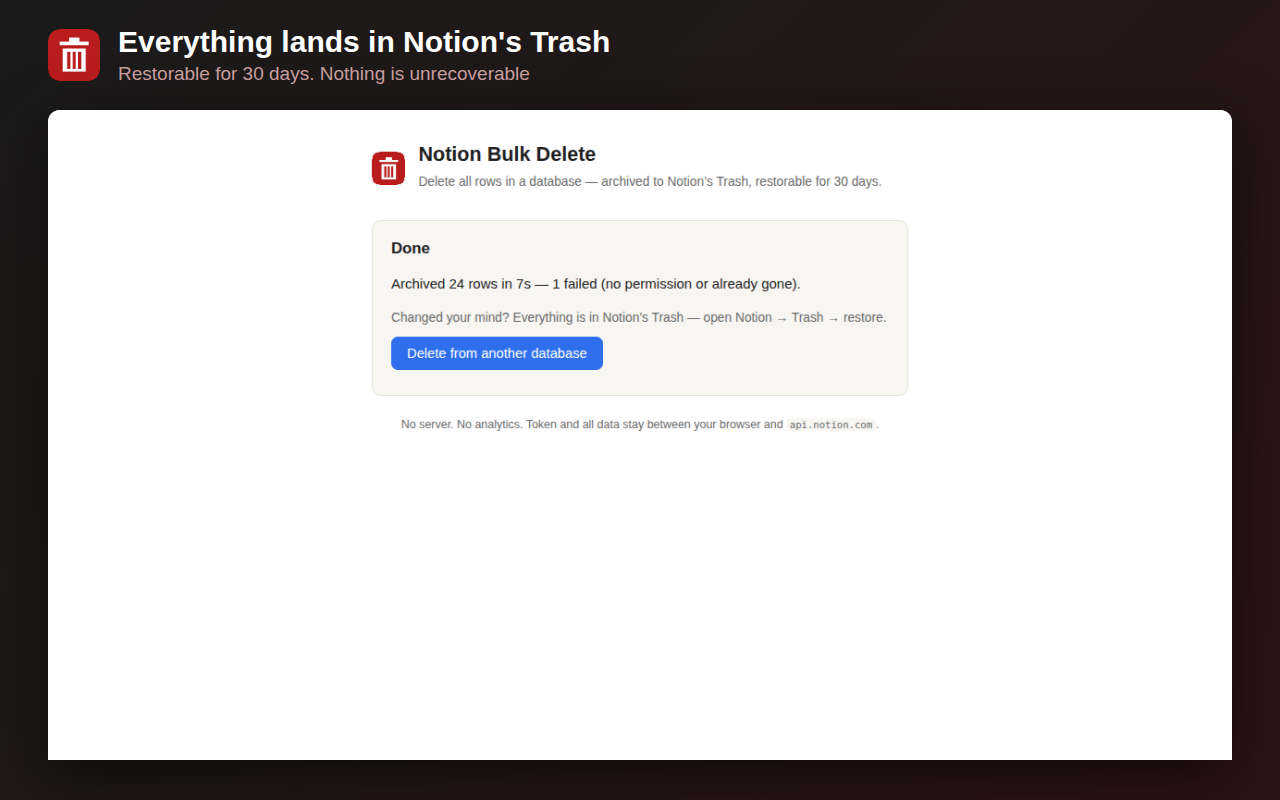
Rows are archived to Notion's Trash — restorable for 30 days. Scan first, see the exact count, type DELETE to confirm.
Private by design
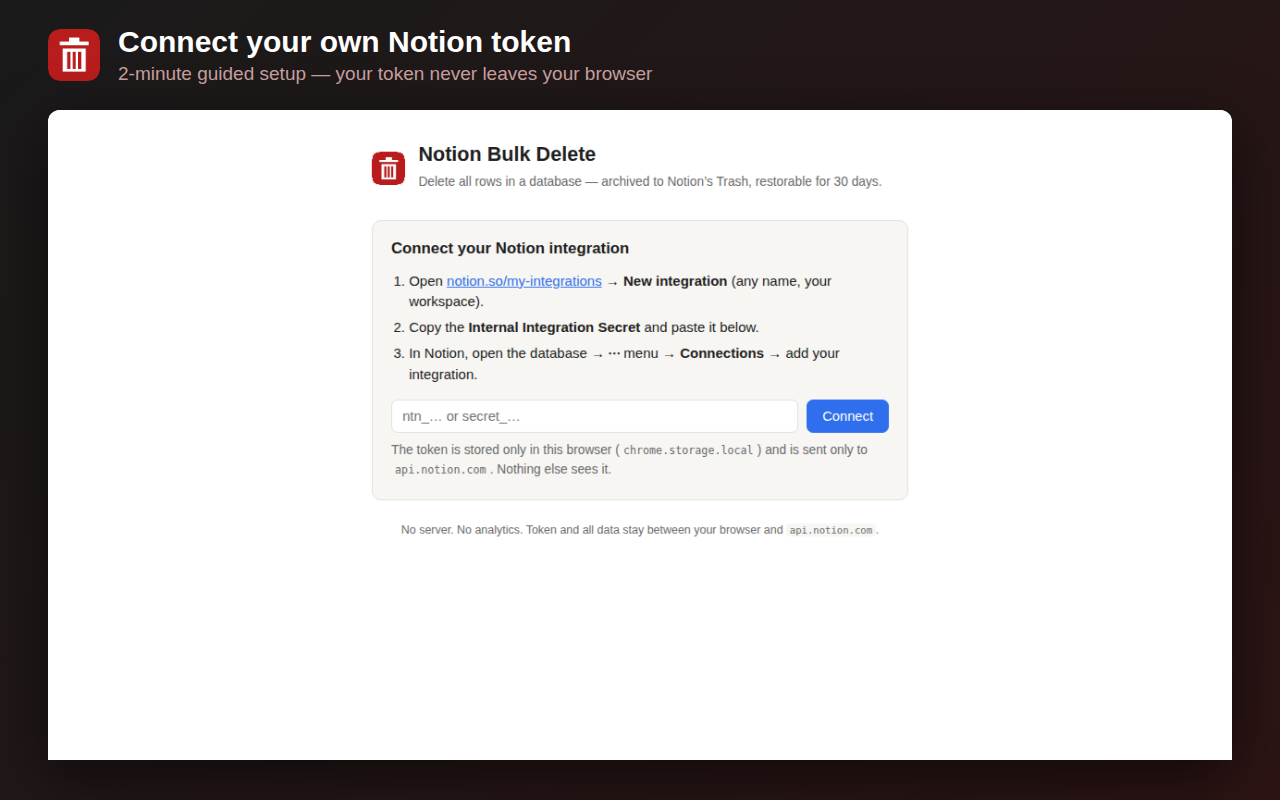
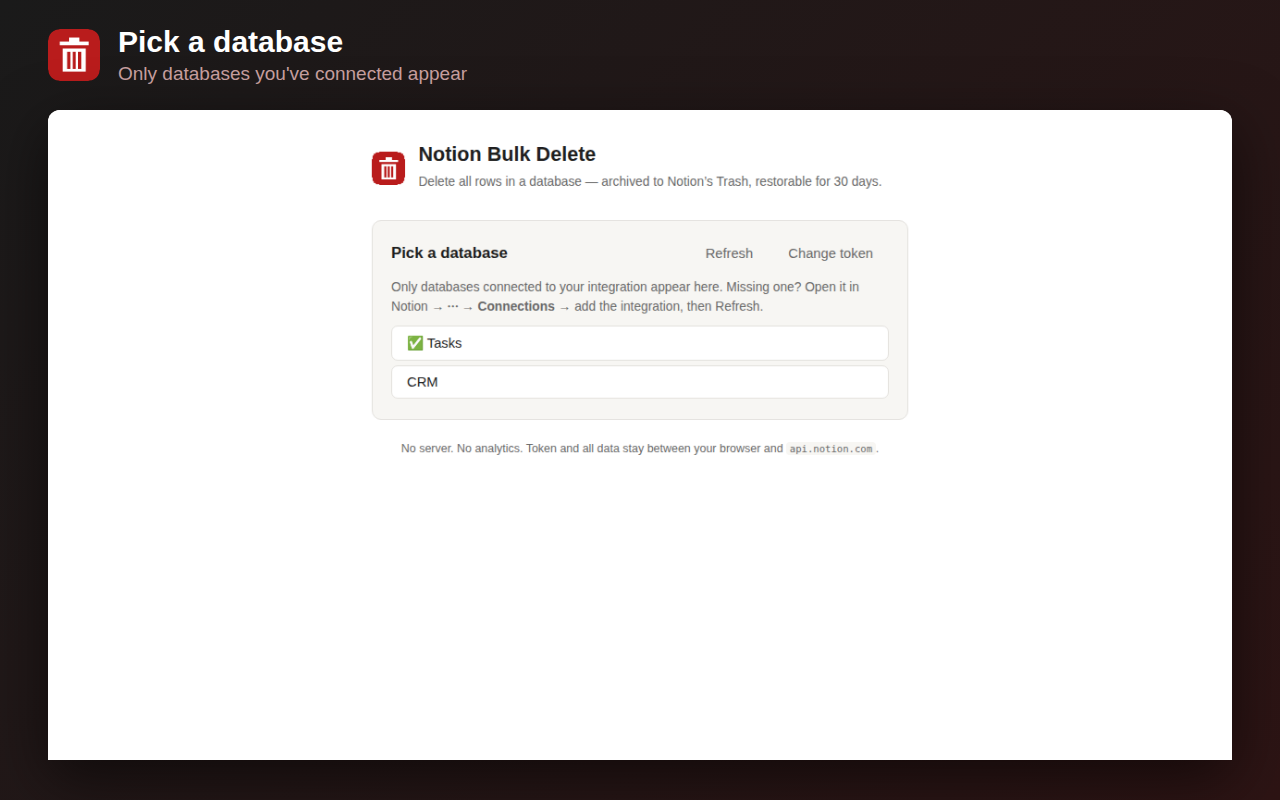
No server, no account, no analytics. Your own Notion token, stored only in your browser, talking only to api.notion.com.
Honest speed
Notion's API allows ~3 requests/second. We show a real ETA and keep working even in a background tab.
How it works
FAQ
Does it delete the database itself?
No. Rows only. The database and its schema stay.
Is this reversible?
Yes — archived rows sit in Notion's Trash for 30 days. Restore any or all of them from Notion.
Why do I need my own token?
It means we never see your data. The extension talks directly from your browser to Notion's official API with a token you can revoke anytime.
Big databases?
Tested to 2,000+ rows. Notion rate-limits everyone to ~3 requests/second, so a 2,000-row delete takes ~15–30 min — the progress bar tells you honestly, and the tab keeps working in the background.
Common questions people search for
How do I delete all rows in a Notion database at once (but keep the database)?
Notion's checkbox select-all only grabs the rows currently loaded on screen, so on a large database you scroll, re-select and repeat. This extension scans the whole database and archives every row in one pass — the database, its properties and views all stay.
How do I delete multiple rows in a Notion table?
Hover a row's left edge for the checkbox, Shift-click to grab a range, then right-click → Delete. When there are more rows than fit on screen, the extension deletes them all in one pass.
How do I bulk delete pages in Notion?
If the pages are rows in a database, the extension bulk-archives them in one pass (they land in Trash, restorable for 30 days). Loose pages in the sidebar still delete one at a time in Notion itself.
Is there a way to mass delete in Notion?
Not natively for a whole database — which is exactly why this exists. Scan, confirm the exact count, type DELETE, and every row clears safely.